Calendar and availability
See who is teaching what, and who is free
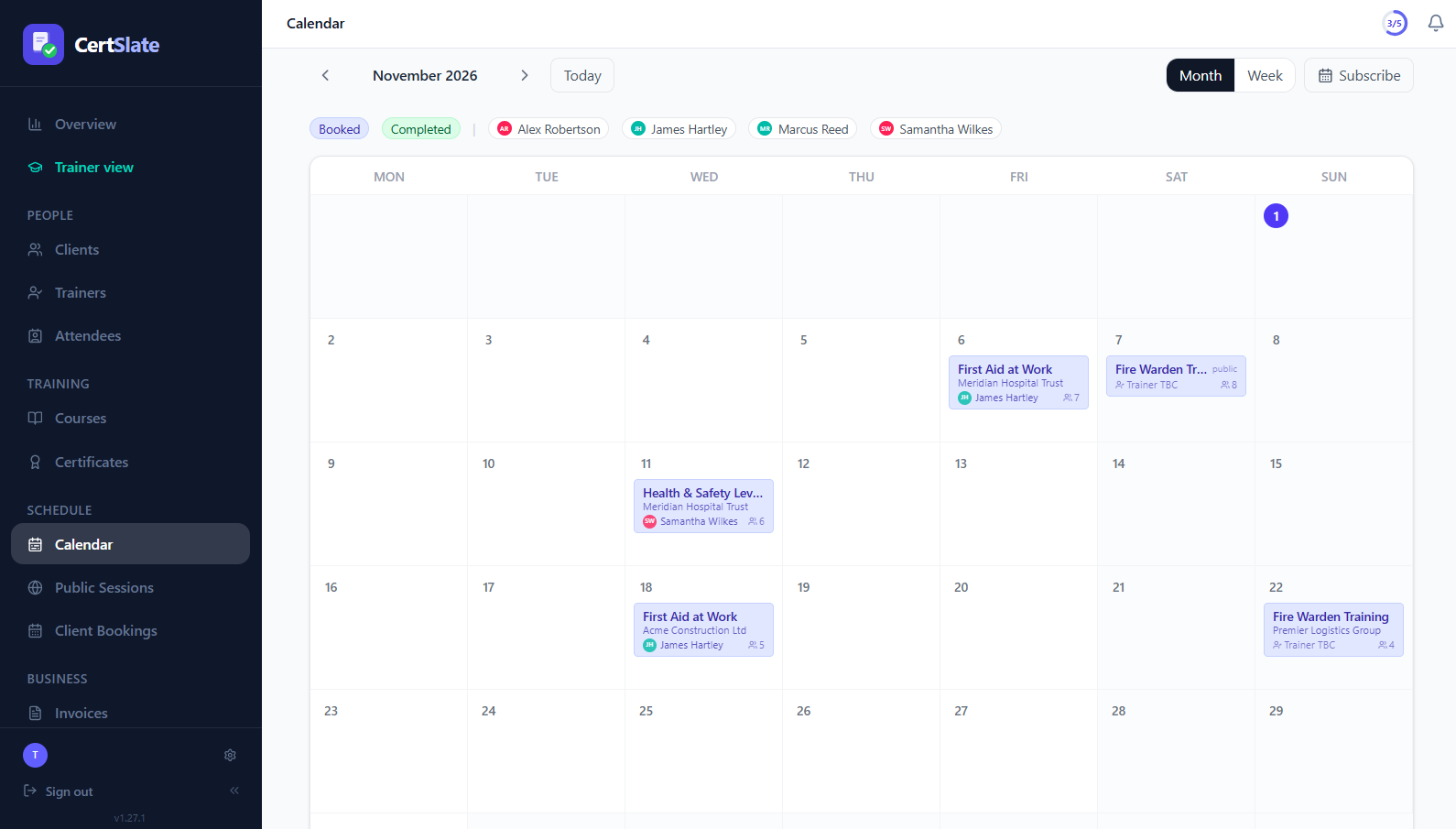
Every booking and public session on one calendar, with trainer availability built in, so the right person is on the right course.
- Included on every plan
- Month and week views
- Outlook, Google and Apple feeds
The “can Sam do Thursday?” problem, solved
Rota questions eat time. Who is free? Who is already out that week? Is the room taken? When the answers live in people’s heads or in three different calendars, double-bookings are only a matter of time.
CertSlate keeps one calendar for everything you teach, and lets each trainer say when they cannot. Assign someone on a day they are away and you are told, before it becomes a problem on the day.
-
One calendar
Client bookings and public sessions together
-
Availability
A day, a range, or every Friday for up to 12 months
-
Warnings
Clashes and unavailable days flagged when you assign a trainer
The calendar
Everything you teach, at a glance
-
Month and week views Multi-day courses show on every day they run.
-
Filter by trainer Pick one person and the days they cannot work are greyed out. With a big team, the filter becomes a dropdown.
-
Click a day for the detail Details open in a pop-up, so you never lose your place in the grid.
-
Your country’s week The first day of the week follows your region.
Availability
Trainers say when they cannot, and you see it
- 1
A trainer marks time off
A single day, a date range, or a weekly pattern such as every Friday, for up to 12 months.
- 2
Or you do it for them
Admins can set availability for any trainer from the Availability tab on their page.
- 3
You get a warning when it matters
Assign a trainer on an unavailable day and you see the warning next to the usual double-booking checks.
In the calendars you already use
Stays in sync with Outlook, Google and Apple
Nobody has to log in to check where they are tomorrow.
-
A personal link for every trainerSubscribe once from Outlook or any calendar app, and new and changed bookings appear on their own.
-
An iCal feed for the whole teamPut your schedule next to your other commitments.
-
Right day, right zoneDates follow your company’s time zone, so a session never slips to the wrong day.
Planning without the guesswork
Advisory, not a lock
Unavailable and double-booking warnings never stop you saving. You decide when an exception is fine.
Venues and online
See where each session is, or that it is online, without opening it.
A trainer’s own view
Trainers get their own month and week calendar of the sessions they are assigned to.
Teach and run the business
If you are an admin who also trains, switch to Trainer view in one click.
Changes reach people
When a venue, delivery method or link changes, everyone booked is sent an update.
Back-dated entries
Record sessions that already happened so your calendar and your records agree.
Questions people ask
Will it stop me assigning someone who is unavailable?
No. It shows an Unavailable warning but never blocks you, because sometimes a trainer swaps a day or you have agreed an exception.
Can a trainer’s calendar show in Outlook?
Yes. Each trainer has a personal link they can subscribe to from Outlook or any calendar app. It stays in sync automatically.
Does it handle courses that run over several days?
Yes. A multi-day course shows on every day it runs, on both the admin and trainer calendars.
Talk to us
Got questions? Want to know more?
We would love to talk. Leave your number and we will ring you back to answer questions, show you around, or talk through how CertSlate would fit your business.
- A real person, not a sales script
- We aim to reply within one working day
- Happy to do a demo with your own courses in mind
Request a call
Tell us who you are and when suits you.