Courses
Set a course up once and everything else follows
Length, price, renewal period, certificate, materials, live activities and website page all hang off the course. Get it right once and every booking starts from it.
- Included on every plan
- Per-person or flat-fee pricing
- Website pages on Pro
The course is where it all starts
Every booking, certificate, reminder and invoice begins with a course. If the course is set up properly, a new booking arrives with the right length, price and certificate already filled in, and nobody retypes them.
A CertSlate course is more than a name and a price. It carries the renewal period that drives expiry reminders, the materials your trainers teach from, the quizzes you run in the room and, if you want it, the page you show on your website.
-
One record
Details, Materials, Live activities and Website, all on the course
-
Reused everywhere
Bookings, sessions, invoices and certificates start from it
-
Yours to organise
Your own categories, in your own order
Setting one up
From a blank course to ready to book
- 1
Name it
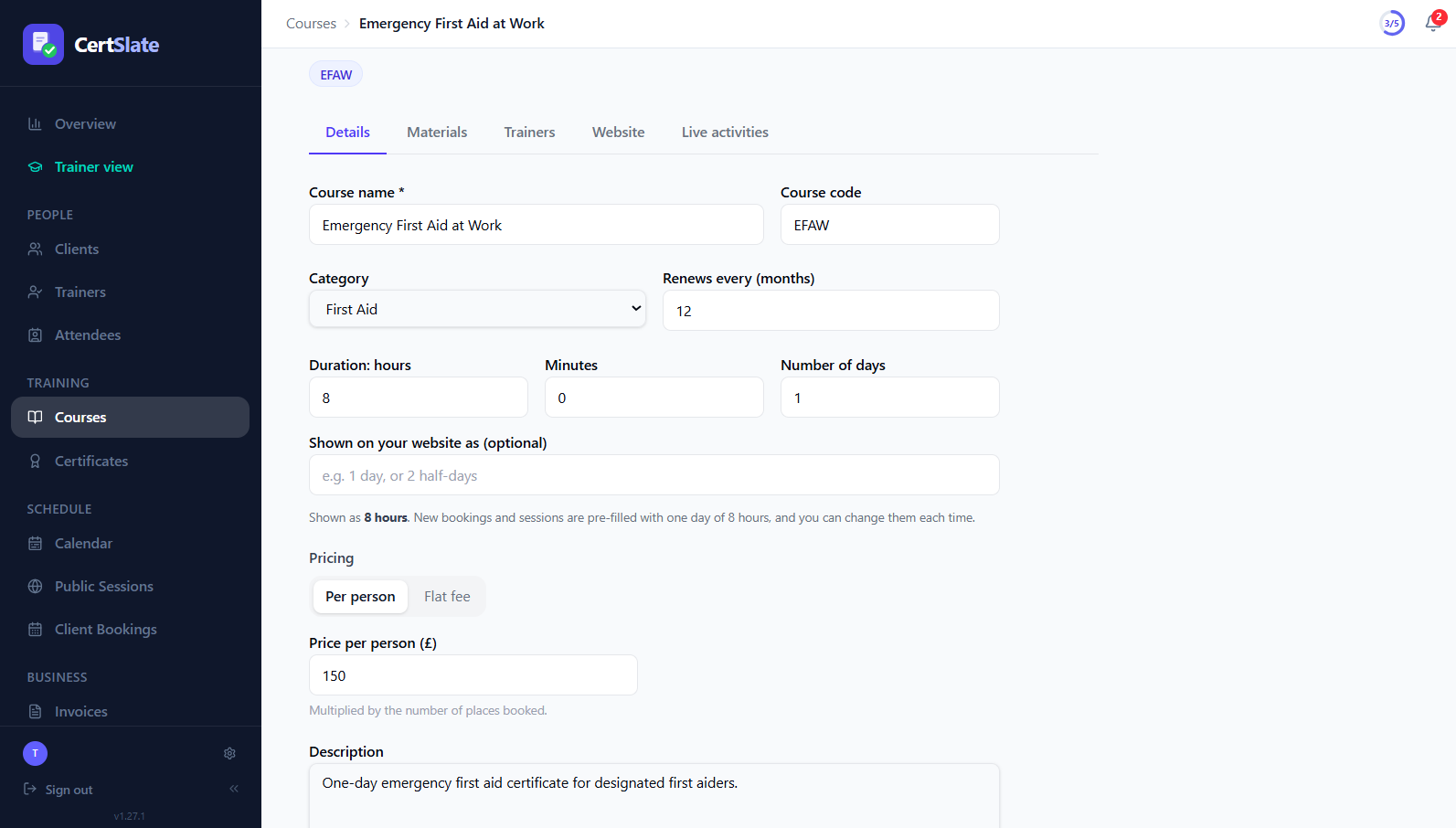
A course name, a short code, a category and a description.
- 2
Say how long it takes
A total time and how many days it normally runs over, with your own wording such as “1 day, or 2 half-days”.
- 3
Set the price
Per person, or a flat fee for the whole booking.
- 4
Link the rest
Choose the certificate design and how often it renews, then add materials, live activities and website details when you are ready.
The details
Set it once, stop retyping it
-
Length that handles real courses Multi-day courses, courses that run over one day or two half-days, and short online sessions all fit. New bookings and sessions are pre-filled and split evenly across the days, and you can still change each one.
-
Renews every, in months The renewal period sets certificate expiry dates, and the expiry reminders go out before they arrive.
-
Categories you control Add, rename, reorder and delete your own categories, and pick one for each course.
-
Changes are not lost A bar appears as soon as you change something, with Save and Discard, and you are asked before you leave with unsaved changes.
Price it per person, or as a package
Per person
The usual way to sell training
A price for each place, multiplied by the places booked.
- Works for client bookings and public sessions
- Public sessions are always priced per person
- Invoices total themselves from the number of places
Flat fee
One price for the whole booking
A fixed fee charged once per booking, however many people attend.
- Good for on-site days delivered to a whole team
- The capacity describes the package but is not a hard limit
- Not available for public sessions, which are always per person
You can mix both across your catalogue. Each course has its own pricing.
Materials
Put what trainers teach from on the course
Upload it once and every trainer who teaches the course can open it.
-
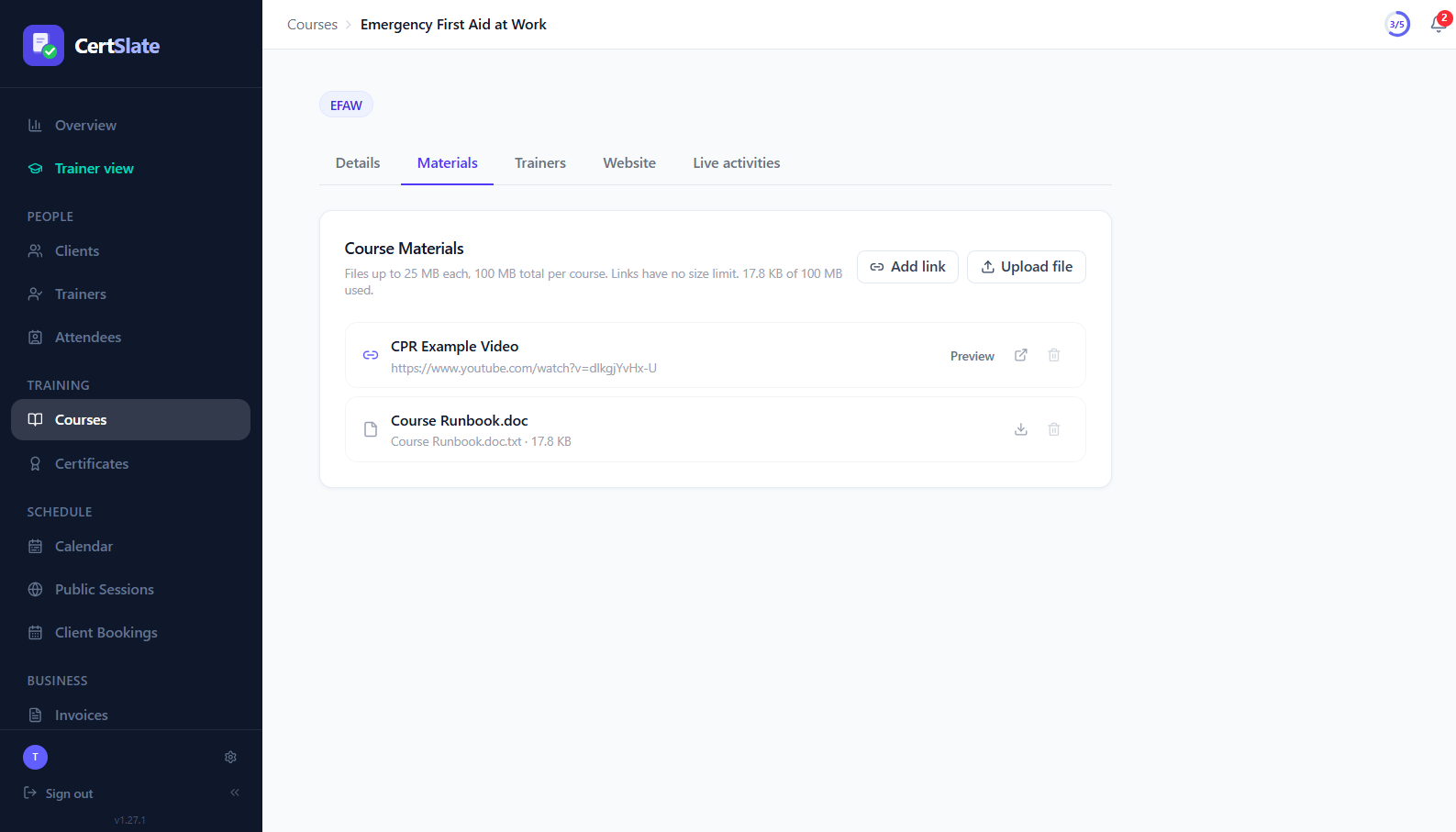
Files and linksAdd PDFs, Word documents, PowerPoint files and images, or paste a link. Links have no size limit.
-
Watch and read in placeYouTube links play inside the page and PDFs preview without downloading.
-
Sensible limitsFiles up to 25 MB each and 100 MB in total per course, with a running total shown. For video, use a YouTube or other link.
What else lives on the course
Settings that change what happens on the day
Certificate design
Pick the design for this course and see a preview before you save.
Third-party certification Pro
For courses certified by an awarding body, add the provider’s name and optionally email people when they complete.
ID check prompt
Ask trainers to check each attendee’s ID at the register. It prompts but never blocks anyone being marked present.
Live activities
Build the quizzes, polls and feedback forms trainers run for this course.
Website page Pro
Add pictures and content, then show the course on your website.
Your own page
If the course already has a page on your site, link to it from booking emails and embedded cards.
Pro
Turn a course into a page on your website
Add pictures, who it is for, what people will learn and what is included, and CertSlate can show the course, its dates and a Book button on your own website.
See courses on your websiteQuestions people ask
Can I use different prices for different courses?
Yes. Every course has its own price and its own pricing method, per person or flat fee.
How does a certificate renewal work?
Each course has a renewal period in months. It sets certificate expiry dates and drives the reminders sent to staff and their managers.
Can a course use a certificate from an awarding body?
Yes. Mark the course as certified by a third party and add the provider’s name. CertSlate then keeps the provider’s certificate on file with the booking. This is part of Pro.
Do I need Pro to set up courses?
No. Courses, categories, pricing, materials and Live activities are on every plan. Website pages, embeds and third-party certification are part of Pro.
Talk to us
Got questions? Want to know more?
We would love to talk. Leave your number and we will ring you back to answer questions, show you around, or talk through how CertSlate would fit your business.
- A real person, not a sales script
- We aim to reply within one working day
- Happy to do a demo with your own courses in mind
Request a call
Tell us who you are and when suits you.