Certificate designer
Certificates that look like you and issue themselves
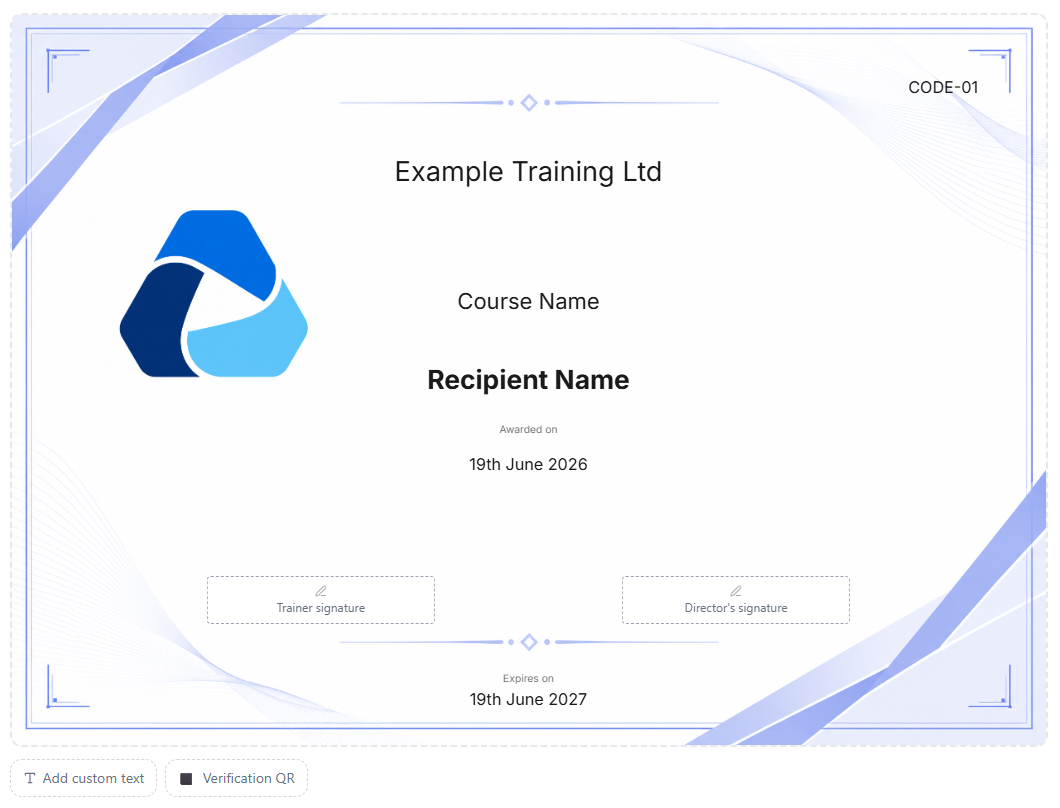
Design the certificate once, with your own background or one of ours. From then on it is generated, emailed and filed the moment a booking is completed.
- No per-certificate fees
- QR verification on Pro
- Third-party certificates on Pro
Stop making certificates by hand
Filling in a template, exporting a PDF and attaching it to an email is a few minutes a time, and it adds up quickly when you train hundreds of people a month. It is also easy to get a name or a date wrong.
In CertSlate the certificate is part of the course. Link a design to a course, complete the booking, and every person who passed gets a correct certificate in their inbox.
-
Your look
Your own background image, or a CertSlate template in your colour
-
Automatic
Generated, emailed and filed on completion
-
No extra cost
No per-certificate fees on any plan
Set it up once
From blank page to finished design
- 1
Choose a background
Pick a CertSlate template and set your brand colour, or upload your own PNG or JPG. Landscape or portrait.
- 2
Place the fields
Drag on the name, course, dates, logo, signatures and anything else. Choose fonts and sizes.
- 3
Link it to a course
Each course uses the design you choose, so every certificate for it looks right.
- 4
Complete a booking
Certificates are generated and emailed. A progress bar shows large groups being issued.
The designer
Every field you would put on a certificate
-
Recipient, course and dates Name, course name and code, completion date and expiry date, filled in for you.
-
Your identity Company name and logo, a trainer’s signature, and the director’s signature.
-
Your own images Upload stamps, award symbols or anything else to an images library and place them where you like.
-
Your type Choose from Inter, Montserrat, Lora, Playfair Display or Cinzel, with size and bold.
Pro
A certificate anyone can check in seconds
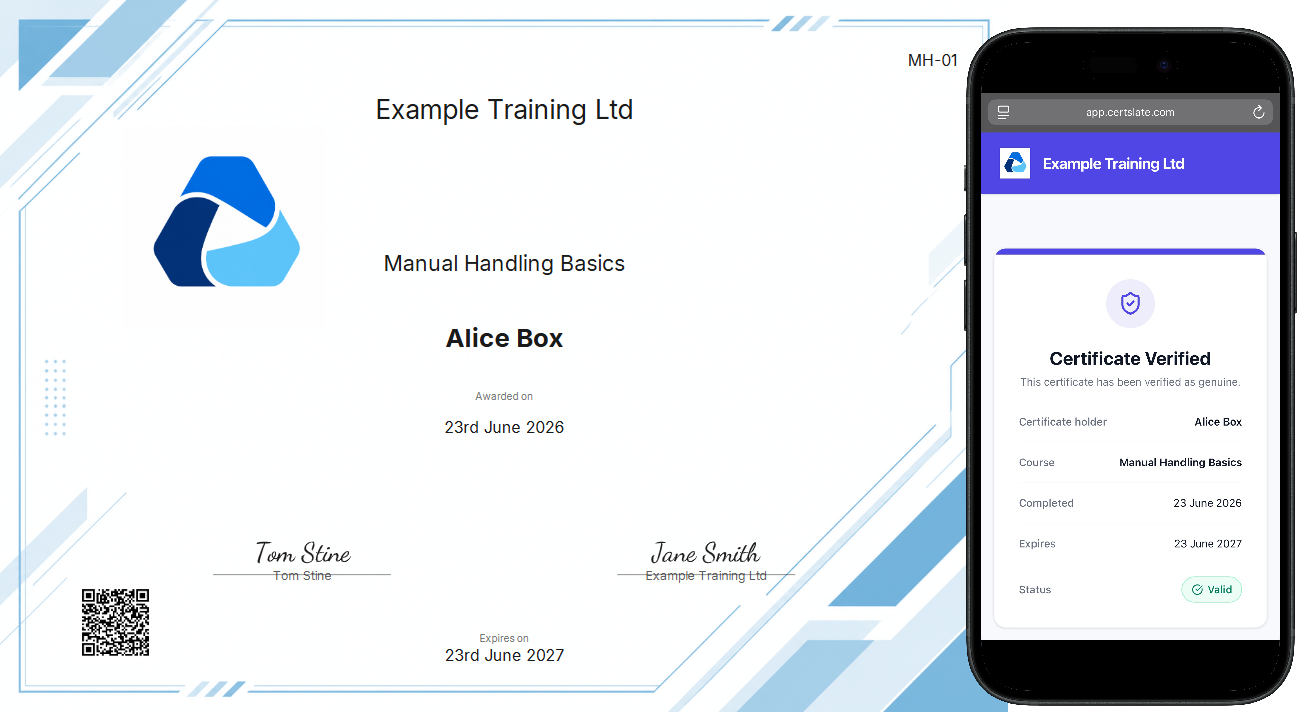
Add a verification QR code and anyone, from an inspector to a site manager, can scan it and see the certificate is real.
-
A public verification pageShows the holder, the course, the dates and whether it is valid, issued by your company.
-
Optional photoIf you choose, the holder’s photo appears too, only for current certificates and with a note of whether ID was checked at the course.
-
Nothing extra for you to doIt works from the design. Add the QR field and every new certificate carries it.
Pro
Awarding body certificates, on file with the booking
Not every certificate is yours. For courses certified by an awarding body, CertSlate keeps the third-party certificate with the booking.
-
A queue of who is waiting See who has passed and is waiting on a certificate from the provider.
-
Upload and send Add the provider’s certificate to each person and they are told it is ready.
-
Failed means not queued Anyone marked as failed is left out, so you do not chase a certificate that will never come.
Renewals
When training expires, the next one is easy
-
Expiry reminders Staff and their client managers are reminded before a certificate runs out. Pro lets you set your own schedule.
-
A repeat course gives a new certificate The new one is dated from the booking with a fresh expiry, and the old one stays as history marked Superseded.
-
Dashboards count the latest A renewed person is not flagged overdue because of last time’s record.
Questions people ask
Can I use a certificate design I already have?
Yes. Export your design as a PNG or JPG, upload it as a background, then place the fields on top. Landscape A4 proportions work best.
Is QR verification on every plan?
It is part of Pro. Starter certificates are generated and emailed without the verification page.
What happens if someone fails?
Failed attendees are left out of certificate issuing and out of the third-party certificate queue.
Can I add a back catalogue of old training?
Yes. Add records in bulk from a spreadsheet, or record past sessions and issue certificates for them.
Talk to us
Got questions? Want to know more?
We would love to talk. Leave your number and we will ring you back to answer questions, show you around, or talk through how CertSlate would fit your business.
- A real person, not a sales script
- We aim to reply within one working day
- Happy to do a demo with your own courses in mind
Request a call
Tell us who you are and when suits you.
Design your certificate once and never think about it again
14-day free trial. Cancel anytime.
Start your free trial