Feedback
Hear what clients and attendees really think
Ask clients through their portal and attendees while they are still in the room. Ratings and comments end up in one place.
- Included on every plan
- Two sources, one page
- Trends in analytics on Pro
The feedback you chase rarely arrives
Feedback forms emailed after the course are the ones people forget. The answers you do get skew towards the very happy and the very annoyed, and they arrive weeks late.
CertSlate collects feedback in the two moments people will actually give it. In the room, while it is fresh. And in the client portal, where the person who bought the training can rate it when they next log in.
-
In the room
A feedback form in CertSlate Live, while everyone is there
-
From clients
A prompt in the portal, and ratings with comments
-
In one place
Averages weighted by responses, with every comment
Two sources, and you can use either or both
From clients
The person who bought it
Client managers rate the training from their portal.
- A feedback request appears in the portal’s notification bell
- Rating and comments, tied to the booking
- Switch it off for every client, or just one
From attendees
The people who sat through it
Attendees give feedback on their own phones, before they leave.
- A feedback form added to the course in CertSlate Live
- Answers collected while the session is fresh
- Confidence before and after, and learning gain
Both land on your Feedback page, so you do not have to merge two spreadsheets.
Your Feedback page
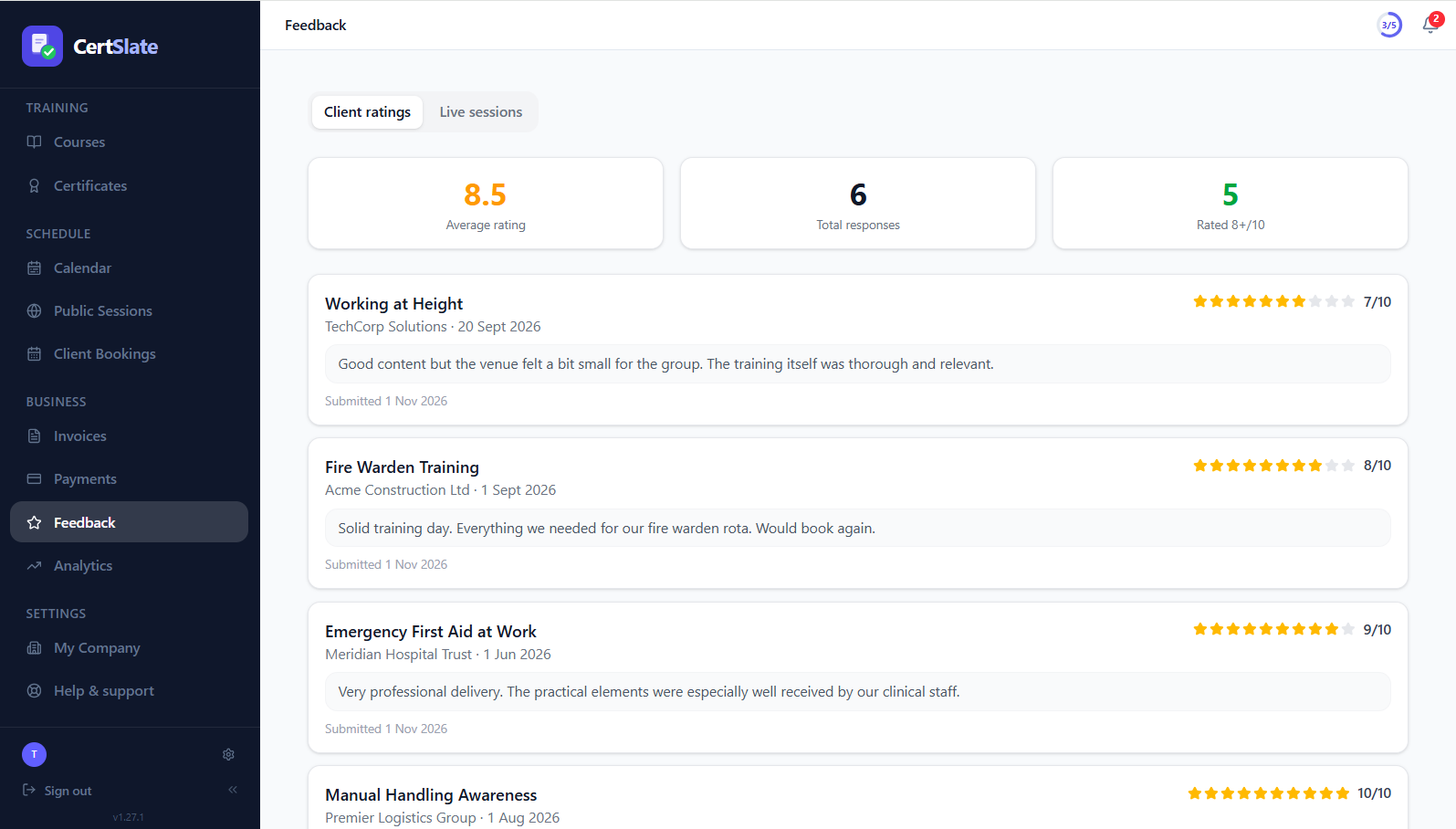
Ratings you can trust, and comments you can read
-
Averages weighted by responses A course with eighty replies counts for more than one with three.
-
Every comment, in context See what was said, about which course, on which date.
-
Trainers see their own Trainers get a feedback page for the sessions they ran.
Closing the loop
From the end of a course to a decision
- 1
The course finishes
The booking is completed and the training is on record.
- 2
Feedback is asked for
Attendees answer in the room, and the client sees a request in their portal.
- 3
It lands on your page
Ratings and comments appear against the course and the trainer.
- 4
You spot the pattern
On Pro, analytics shows average client rating by trainer and learning gain across your sessions.
Questions people ask
Can clients turn feedback off?
You decide. Feedback is one of the things you can switch on or off for all clients, or override for a single client.
What does attendee feedback look like?
It is a short form in CertSlate Live that you add to a course. Attendees answer on their phones in the room.
Can I see feedback per trainer?
Yes. Trainers see their own, and on Pro the Trainers view in analytics shows average client rating alongside completed bookings and certificates issued.
Talk to us
Got questions? Want to know more?
We would love to talk. Leave your number and we will ring you back to answer questions, show you around, or talk through how CertSlate would fit your business.
- A real person, not a sales script
- We aim to reply within one working day
- Happy to do a demo with your own courses in mind
Request a call
Tell us who you are and when suits you.
Find out what people really think of your training
14-day free trial. Cancel anytime.
Start your free trial