Trainer portal
Everything a trainer needs on the day, and nothing else
Their schedule, their registers, their course materials and their availability, in a trimmed-down portal that does not show them your invoices.
- Included on every plan
- Phone-friendly registers
- Their own calendar feed
Give trainers a tool, not a login to your whole business
Trainers need to know where they are tomorrow, what to teach, who is in the room and how to record the result. They do not need your finances, your other clients or your settings.
The trainer portal is built around those four things. It is quick enough to use between sessions and simple enough that you will not be asked how it works.
-
Their menu
Overview, Schedule, Calendar, Courses and Feedback
-
On a phone
Take photos with the phone camera and tick ID checks
-
Admins who teach
Switch to Trainer view with one click
A day as a trainer
From arriving to the end of the session
- 1
See today’s booking
The overview shows what is on today, with the client, time and venue.
- 2
Open the register
Attendees sign in by QR code, or the trainer marks them present.
- 3
Record the outcome
Mark attendance, then pass or fail for each person.
- 4
End the session
Mark the session as finished. An admin then completes the booking, and the certificates and training records follow.
Where and when
Know where you need to be
-
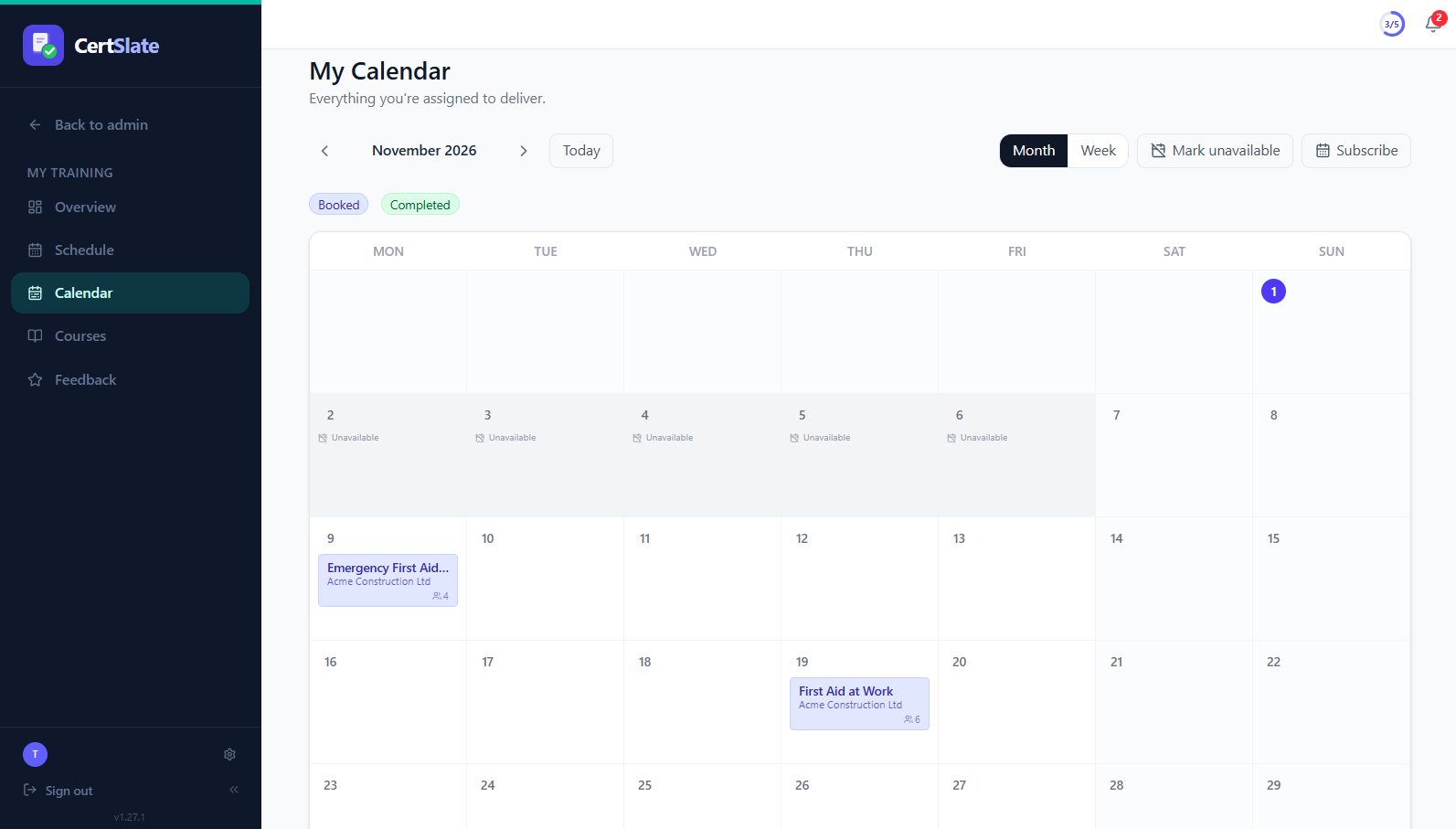
A schedule and a calendar Month and week views of the bookings and sessions assigned to you, with multi-day courses on every day they run.
-
Subscribe from your own calendar A personal link for Outlook, Google or Apple that stays in sync on its own.
-
Say when you are away Mark a day, a range or a weekly pattern as unavailable, so you are not assigned to something you cannot do.
On the day
The materials and the paperwork are already there
-
Course materials Documents and links that you upload to a course are there for every trainer who teaches it, ready to download.
-
Photos and ID checks Where your company uses them, trainers see attendee photos, take one with the phone camera and tick ID checked.
-
Walk-ins Someone turns up who was not on the list? Add them from the client’s staff list in a couple of taps.
-
Sign once A trainer adds their signature once and it appears on the certificates for courses they teach.
Also in the portal
More than a schedule
CertSlate Live
Run quizzes, polls and Q&A from any session you are teaching.
QR sign-in
Open sign-in on the register and let people check themselves in.
Feedback on your sessions
See what attendees and clients said about the training you ran.
Trainer view for admins
If you run the company and teach, one click switches your whole menu.
Only what they need
No invoices, no other trainers’ work and no company settings.
Course details
See a course’s description and materials before the day.
Questions people ask
Can a trainer issue certificates?
Trainers end the session after recording attendance and pass or fail. An admin then completes the booking, and CertSlate creates the training records and issues the certificates.
Do trainers pay for a seat?
Each plan includes trainer seats, and extra seats can be added. Pricing has the details.
Can I stop a trainer seeing something?
Trainers only ever see their own schedule, courses, registers and feedback. Invoices, other trainers and settings are admin-only.
Talk to us
Got questions? Want to know more?
We would love to talk. Leave your number and we will ring you back to answer questions, show you around, or talk through how CertSlate would fit your business.
- A real person, not a sales script
- We aim to reply within one working day
- Happy to do a demo with your own courses in mind
Request a call
Tell us who you are and when suits you.