Guides
Giving your clients a self-service portal
How the CertSlate client portal works, what your clients can see and do, and how to get them set up with access.
1 August 2026
The client portal gives your clients a way to check their own training records, download certificates, and see upcoming renewals without contacting you for every request. This guide explains what they get access to and how to invite them.
What the portal includes
Each client manager who logs in can see:
- All staff members in their company and their training history
- Which certificates are active, expiring soon, or already expired
- Individual certificate downloads
- Booking requests for new training
- Invoices for completed work
They only ever see their own company’s data.
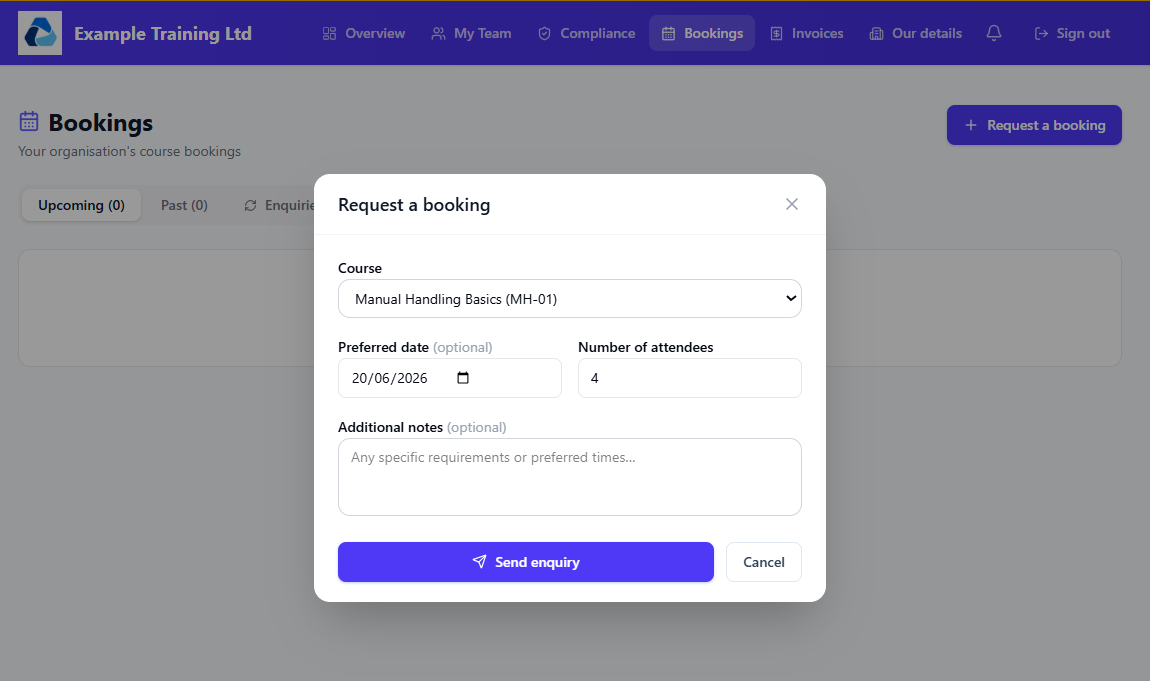
Who can be a client manager
Anyone in a client company can be invited as a client manager. There is no limit on the number of client managers per company, so if a client has an HR manager and a line manager who both need visibility, you can invite both.
Client managers do not have access to the CertSlate admin area. Their login takes them directly to their own company’s portal.
Inviting a client manager
- Open the client record in CertSlate.
- Go to the Staff tab and find the person you want to invite. They need to be added as a staff member first.
- Click Invite as Client Manager.
- Enter their email address and send the invitation.
They will receive an email with a link to set their password and access their portal. The link expires after 72 hours — if they miss it, you can resend the invitation from the same screen.
Managing access
Open the client record and go to the Client Managers tab to see who currently has access. From here you can:
- Resend an invitation if it was not received
- Remove access if a contact leaves the company
Removing access does not delete the person’s staff record or training history.
Common questions
Can a client see other clients’ data? No. Each client manager is linked to a single company and cannot see any other company’s information.
Can clients edit staff records? Not directly. They can view records and request bookings, but adding or editing staff is done by you in the admin area.
Is there a charge for adding client managers? No. You can invite as many client managers as needed at no extra cost.
What if I do not want a client to have portal access? Portal access is optional. You do not need to invite anyone — it is there if clients want it, not something they are required to use.