Booking management
Training Booking System for Training Companies
Manage corporate bookings and open course enrolment from one platform. CertSlate keeps everything connected, from the first enquiry through to the certificate.
- Cancel anytime
- No per-certificate fees
- US dollars supported
The problem with managing bookings across email and spreadsheets
Managing course bookings for multiple clients means keeping track of dates, venues, trainers, attendees and confirmations. Do it with spreadsheets and email and the chances of something slipping through are high.
A training company with ten clients and several courses running at once needs a system that holds all of this in one place. When a client asks to book five attendees onto next month's course, you should be able to confirm availability, assign a trainer and send a confirmation without searching through three different files.
CertSlate gives you that single place. Bookings for corporate clients sit alongside your open course schedule, and everything connects to the client record, the trainer and the certificate process that follows.
Booking management
Everything your booking process needs
-
Corporate booking management Schedule training for client companies with attendees, dates, venues and trainers. Handle enquiries and confirmations in one place.
-
Open enrolment and public booking Publish sessions on a public booking page with no login. Pro adds card payment at the point of booking and a website widget.
-
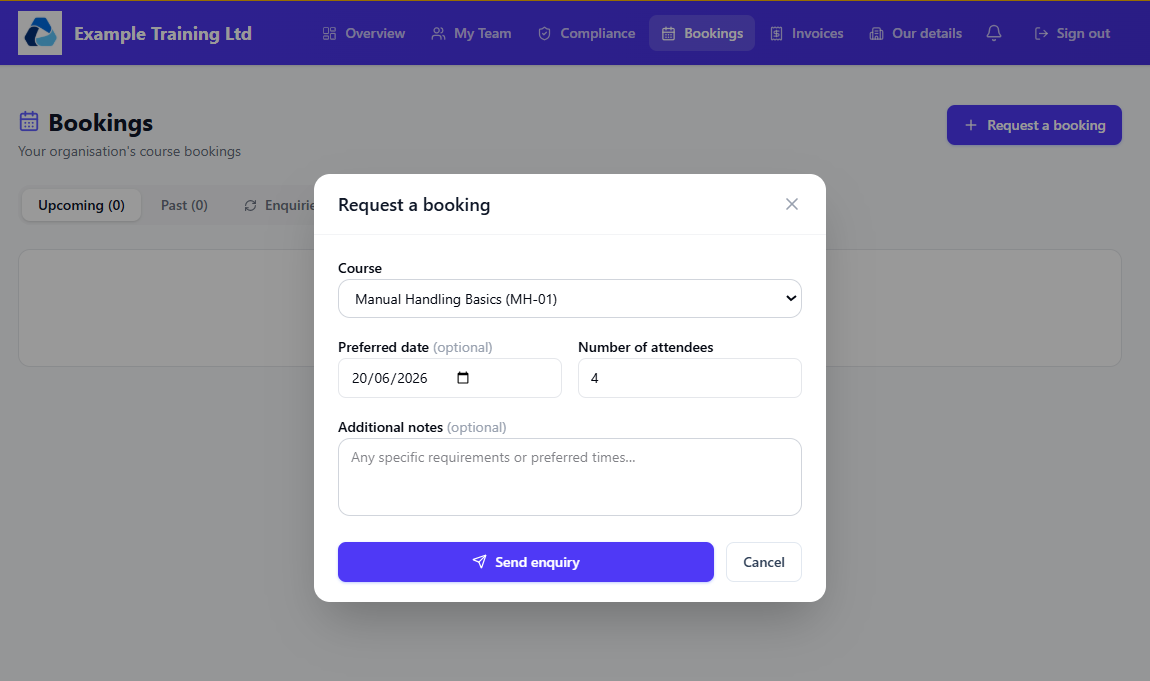
Client booking portal Client managers see upcoming training and send booking requests, without the email back and forth.
-
Invoicing connected to bookings Generate invoices straight from a booking, so the whole journey from booking to payment stays in one place.

Also new in CertSlate
New
CertSlate Live
Run quizzes, polls and Q&A on your attendees’ own phones. They scan a QR code to join, with no app and no account.
See CertSlate LiveNew · Pro
Your courses on your own website
Add pictures and an overview to each course, then show a catalogue and a page for every course on your own site.
See how it works